|
Attribute Type |
Editor |
|
Boolean |
|
|
DN |
|
|
Audio, Binary, Bit String, Certificate Certificate List, Certificate Pair |
|
|
Generalized Time |
|
|
JPEG |
|
|
Integer |
|
|
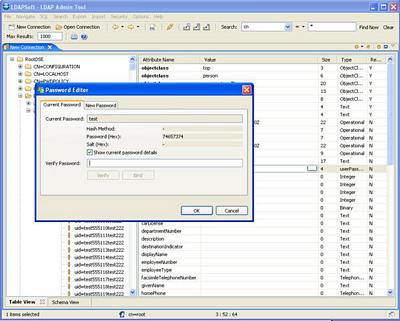
UserPassword |
|
|
Access Point, ACIItem, Attribute Type Description, Case Ignore List, Counter, Country String, Data Quality Syntax, Delivery Method, Directory String, DIT Content Rule Description, DL Submit Permission, DSA Quality Syntax, DSE Type, Facsimile Telephone Number, Fax, Guide, IA5String, LDAP Schema Definition, LDAP Schema Description, LDAP Syntax Description, Mail Preferences, Manager DsaIT Control Request, Master And Shadow Access Points, Matching Rule Description, MHS or Address, Modify Rights, Name and Optional UID, Name From description, Numeric String, Object Class Description, Octet List, Octet String, OID, Other Mailbox, Postal Address, Presentation Address, Printable String, Protocol Information, Server Side Sort Control Request, Server Side Sort Control Response, Substring Assertion, Subtree Specification, Supplier and Consumer, Supported Algorithm, Tagged Data, Tagged Name, Telephone Number, Telex Terminal Identifier, Telex Number, Typed Name, UTC Time |
|
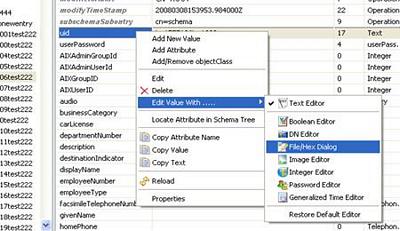
 Boolean Editor
 DN Editor
 File/Hex Dialog
 Generalized Time Editor
 Image Editor
 Integer Editor
 Password Editor
 Text Editor